ABDM Integration for Pharmacies: A Practical Guide for Tripura and Beyond
How pharmacies can connect to ABHA, enable digital dispensing records, and standardise medicine data—without necessarily replacing their existing pharmacy software.
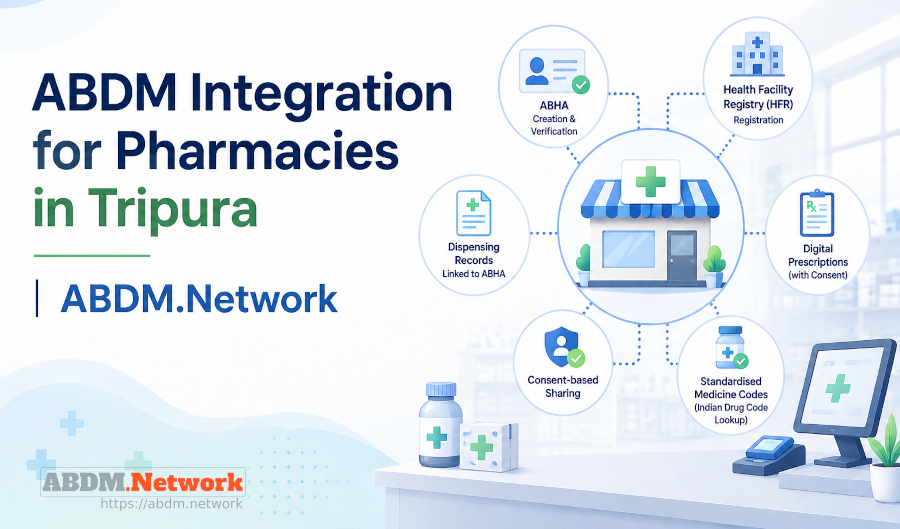
ABDM.Network helps in ABDM Integration for Pharmacies, with support for ABHA-related workflows, digital dispensing records and consent-based health information exchange. An optional subscription to the EHR.Network terminology server is also available to help pharmacies standardise their medicine catalogues using Indian drug code lookup.
Whether you operate an independent pharmacy, manage multiple outlets or develop pharmacy software for local customers, this guide explains the integration process and how ABDM.Network can help.
Tripura’s digital health initiative: What does it mean for pharmacies?
Tripura has set October 31, 2026, as its target for transitioning towards an integrated digital healthcare system, with West Tripura designated as the model district for the initiative. Reports on the initiative have highlighted plans to bring healthcare providers, including pharmacies, into a connected digital ecosystem.
For pharmacies, this creates an important opportunity to evaluate their readiness for digital health integration.
Most pharmacy management systems already handle essential business functions such as billing, inventory, purchases and accounting. Participating in connected digital health workflows may require additional capabilities, including ABHA integration, structured medication-dispensing records and standardised medicine information.
The practical question for pharmacy owners is:
How can you add these capabilities without disrupting your existing pharmacy operations?
The answer depends on your current software and the workflows you need to support. An integration platform can help bridge the gap between your existing pharmacy management system and ABDM.
Note: The state’s October 31 target concerns its broader digital healthcare transition. Pharmacies should confirm any specific mandatory requirements and applicable deadlines through the relevant government communications.
What pharmacy software needs to support for ABDM integration
Most pharmacy software is designed for billing, inventory and accounting. Connecting to ABDM introduces additional capabilities:
- Health Facility Registry (HFR) registration: Register your pharmacy in HFR and establish its identity within the ABDM ecosystem.
- ABHA creation and verification: Enable staff to support customers who want to create an ABHA or verify an existing one.
- Digital prescriptions: Access digital prescriptions from connected healthcare providers through supported workflows, subject to applicable authorisation and consent requirements.
- Digital dispensing records: Generate structured medication-dispensing records associated with the patient’s ABHA through a supported integration.
- Consent-based sharing: Support the applicable consent and authorisation processes for sharing health records with connected applications.
- Standardised medicine coding: Map entries in your pharmacy’s drug master to appropriate standard drug codes to improve consistency in medicine identification across connected systems.
How ABDM.Network helps pharmacies connect to ABDM
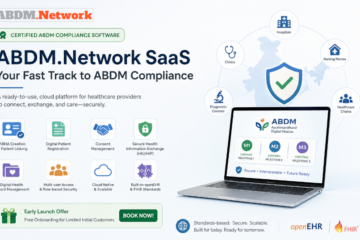
ABDM.Network, is a ready-to-use SaaS platform that has completed ABDM integration for Milestones 1, 2 and 3 and is listed as a connector on the National Health Authority’s ABDM partners page.
It helps pharmacies implement supported ABDM workflows without rebuilding their existing software.
- ABHA creation and verification: Support ABHA-related workflows at the pharmacy counter.
- ABHA-linked dispensing records: Integrate pharmacy transactions with workflows for generating structured dispensing records.
- Consent-based sharing: Support applicable consent and authorisation requirements for health information exchange.
- Digital prescription access: Enable access to digital prescriptions where supported by the connected provider and integration workflow.
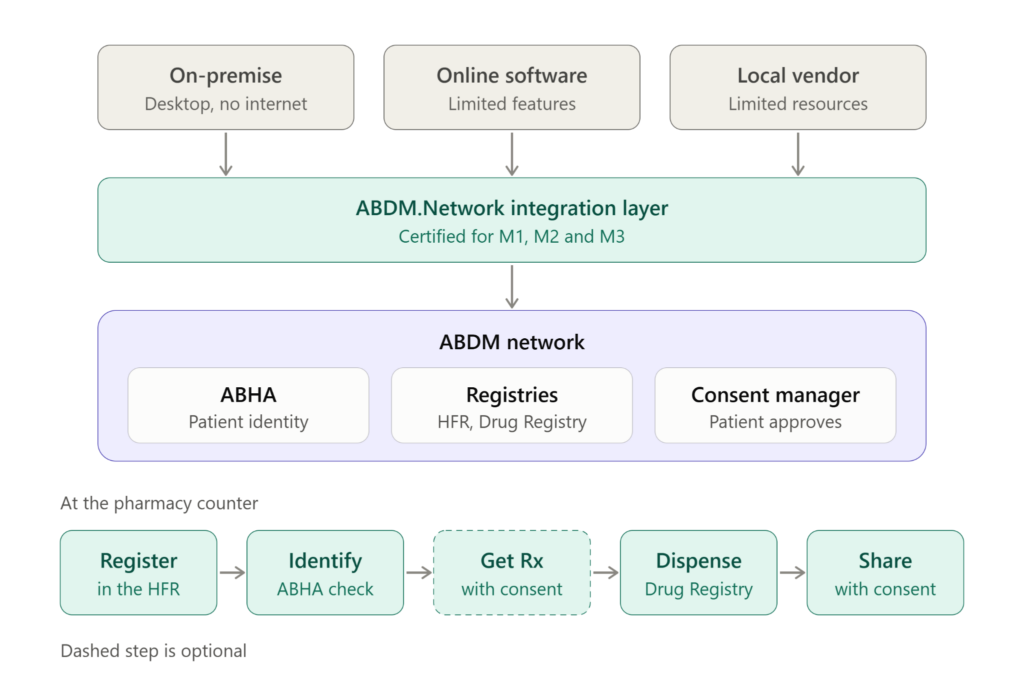
How a pharmacy connects to ABDM, from existing software to the counter workflow
Need help with drug registry alignment?
Pharmacies often maintain their own medicine catalogues, using internal product codes and naming conventions. Mapping these entries to standardised drug codes can help improve consistency when medicine information is exchanged between connected systems.
ABDM.Network offers an optional subscription to the EHR.Network terminology server, which includes Indian drug code lookup. Pharmacies can use this service to look up relevant drug codes and map entries in their existing pharmacy drug master to standardised codes.
The subscription is optional and can be considered according to your medicine-coding requirements.
How can your existing pharmacy software connect to ABDM?
Pharmacies use different types of software. ABDM.Network can help identify an appropriate integration approach for your existing setup.
On-premise software: For desktop billing software operating on a local computer or network, ABDM.Network can use a locally deployed middleware layer where the software supports the required integration. This helps preserve your existing system and data-management arrangements.
Cloud-based software: If your online pharmacy application supports APIs but lacks the required ABDM functionality, ABDM.Network can integrate with it to add supported capabilities without replacing the application.
Software from a local vendor: ABDM.Network can work with participating pharmacy software vendors to integrate ABDM functionality into their applications, helping them offer these capabilities without developing the entire integration independently.
Not sure which approach suits your pharmacy?
[Book a demo with ABDM.Network]
Tell us which pharmacy software you use and how your billing system operates. We’ll assess your existing setup and discuss the appropriate integration approach, including whether Indian drug code lookup through the EHR.Network terminology server would be useful for your pharmacy.
Connect your existing pharmacy software to ABDM—with ABDM.Network.
🔗 Learn more about ABDM.Network

0 Comments